How it Works
RootCX has one foundational component: Core. A Rust daemon that provides enterprise governance for every internal tool and AI agent you deploy. One binary. One instance. One governance layer for your entire fleet.
You build with your AI coding agent. You run rootcx deploy. The Core takes care of everything else.
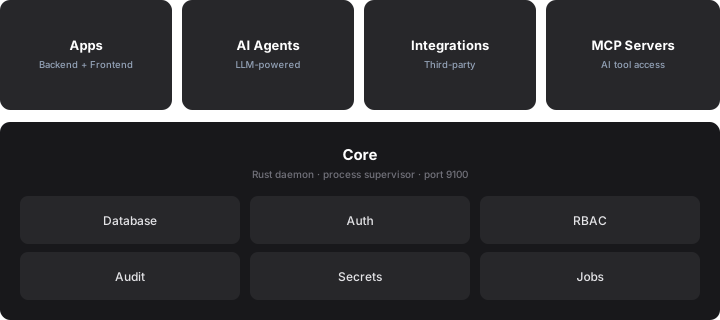
The Core
RootCX Core is a single Rust binary. It manages the database, enforces authentication and RBAC, runs your backend processes, serves your frontends, and exposes the REST API. One Core instance runs your entire fleet of internal tools, whether that is one tool or several hundred.
When you create a project on RootCX Cloud, a dedicated Core instance is provisioned for you. If you self-host, you run the same binary on your own infrastructure with Docker. Same API surface, same enterprise governance.
See What is RootCX? for the full list of what the Core provides (authentication, RBAC, audit logs, secret vault, data API, jobs, crons, webhooks, storage, channels, MCP).
What an internal tool looks like
Every internal tool you deploy is composed of three pieces:
| Piece | What it does |
|---|---|
| manifest.json | Declares your data model (entities, fields, relationships) and permission keys. The Core reads this and creates the database tables, CRUD APIs, and RBAC policies automatically. |
| Frontend | A React app using @rootcx/sdk. Talks to the Core's Data API. Served at /apps/{appId}/. |
| Backend (optional) | TypeScript handlers for RPC calls and background jobs. Runs as an isolated Bun process supervised by the Core. |
Your AI coding agent generates all three when you describe what you want. You run rootcx deploy, and the Core handles the rest: installs dependencies, builds the frontend, syncs the database schema, starts the worker, publishes the assets.
AI Governance
When you deploy AI agents on top of your fleet, they inherit enterprise governance automatically. But agents also get their own governance layer:
- Supervision modes: autonomous (no approval needed), supervised (approval required for specific actions), or strict (every tool call requires approval).
- Granular policies: require human approval per entity or per action type. Rate limits per window (per minute, hour, or day).
- RBAC on tool calls: agents operate under their own role. The Core blocks any call the agent lacks permission for, instantly.
- Immutable audit trail: every tool call, every data mutation, every approval decision is captured in the audit log.
- Cross-agent delegation: agents can delegate tasks to other agents in the fleet. Sub-agents cannot spawn further sub-agents. Approval requests propagate to the parent session.
AI governance and enterprise governance run on the same Core, enforced by the same RBAC and audit systems. No separate compliance layer to maintain.
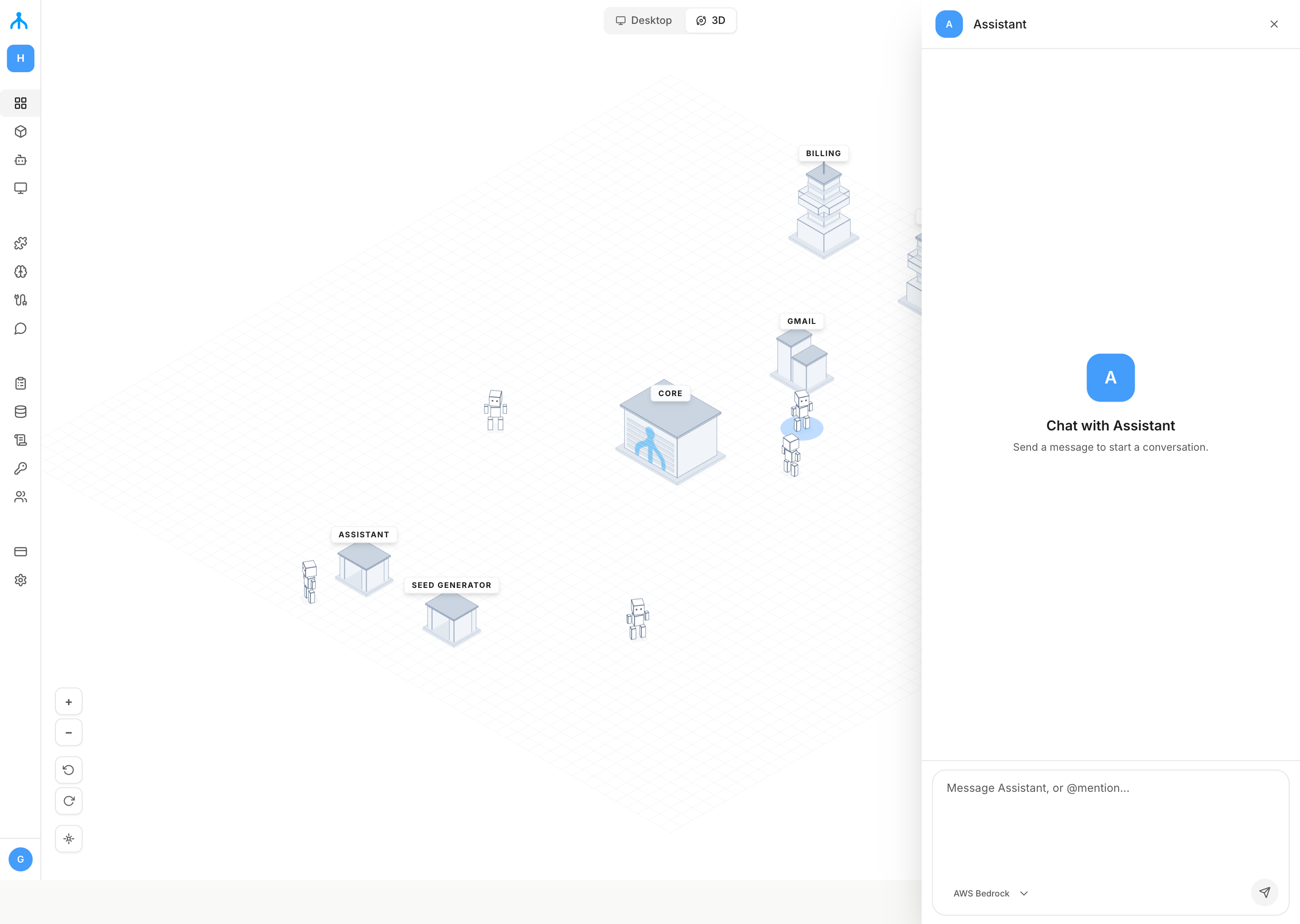
The Fleet model
Every internal tool, AI agent, and integration you deploy runs on the same Core. They share the same database, the same authentication system, and the same permission model. This is what makes them a fleet: not isolated silos, but interconnected services that reference each other's data and capabilities.
An AI agent can query data from any internal tool in the fleet. An integration can push external data into entities used by multiple tools. Everything stays consistent because it all flows through the same Core, governed by the same RBAC policies and captured in the same audit log.
One tool or several hundred, the architecture is identical.
Further reading
- Core reference for the full technical reference.
- Build an Application for manifest format, frontend SDK, and backend handlers.
- Build an AI Agent to deploy agents with AI governance (supervision, RBAC, audit).
- Self-Hosting to run the Core on your own infrastructure.